Built for South African traders

Trade with an edge.
Not just a hunch.

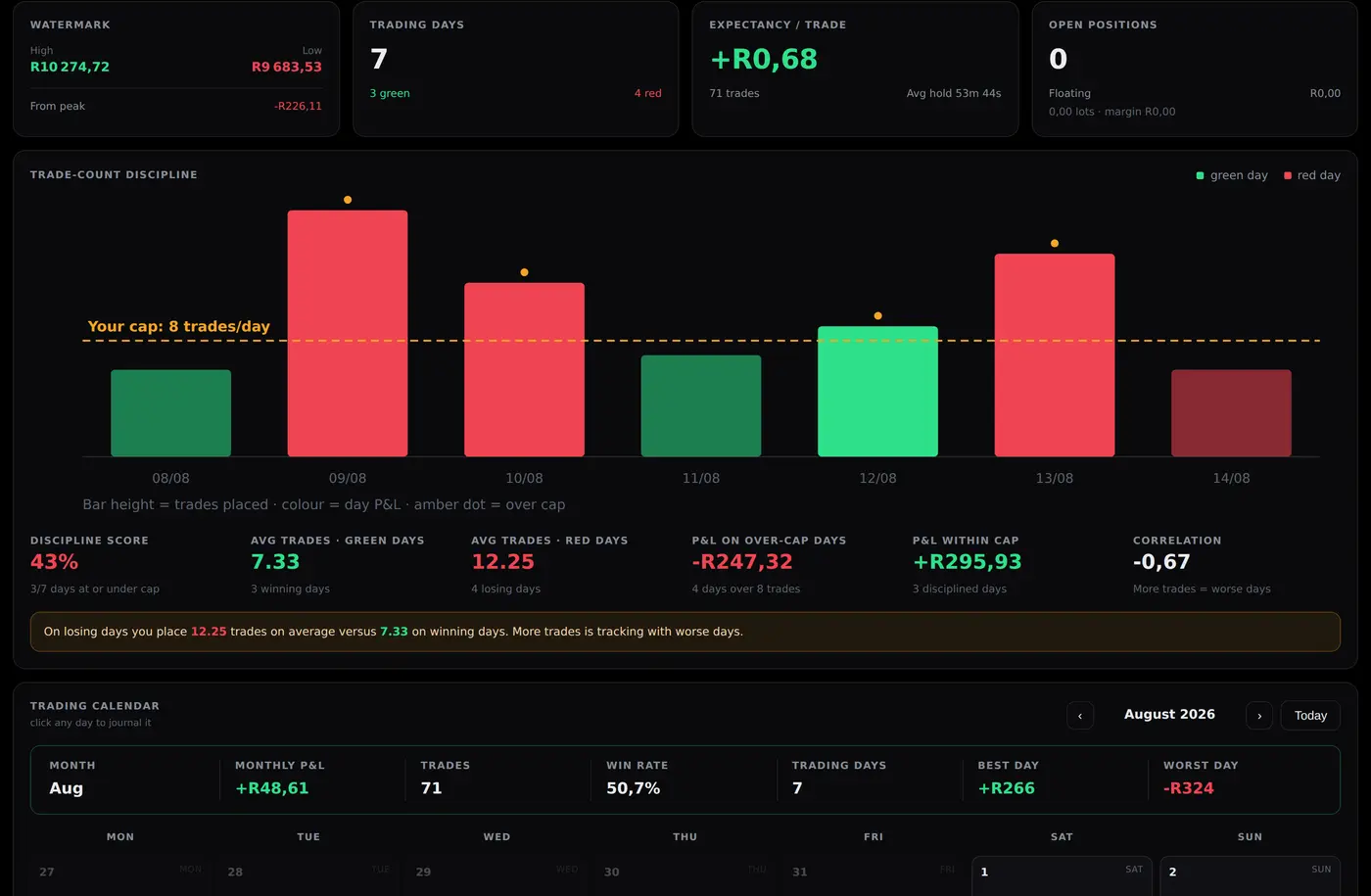
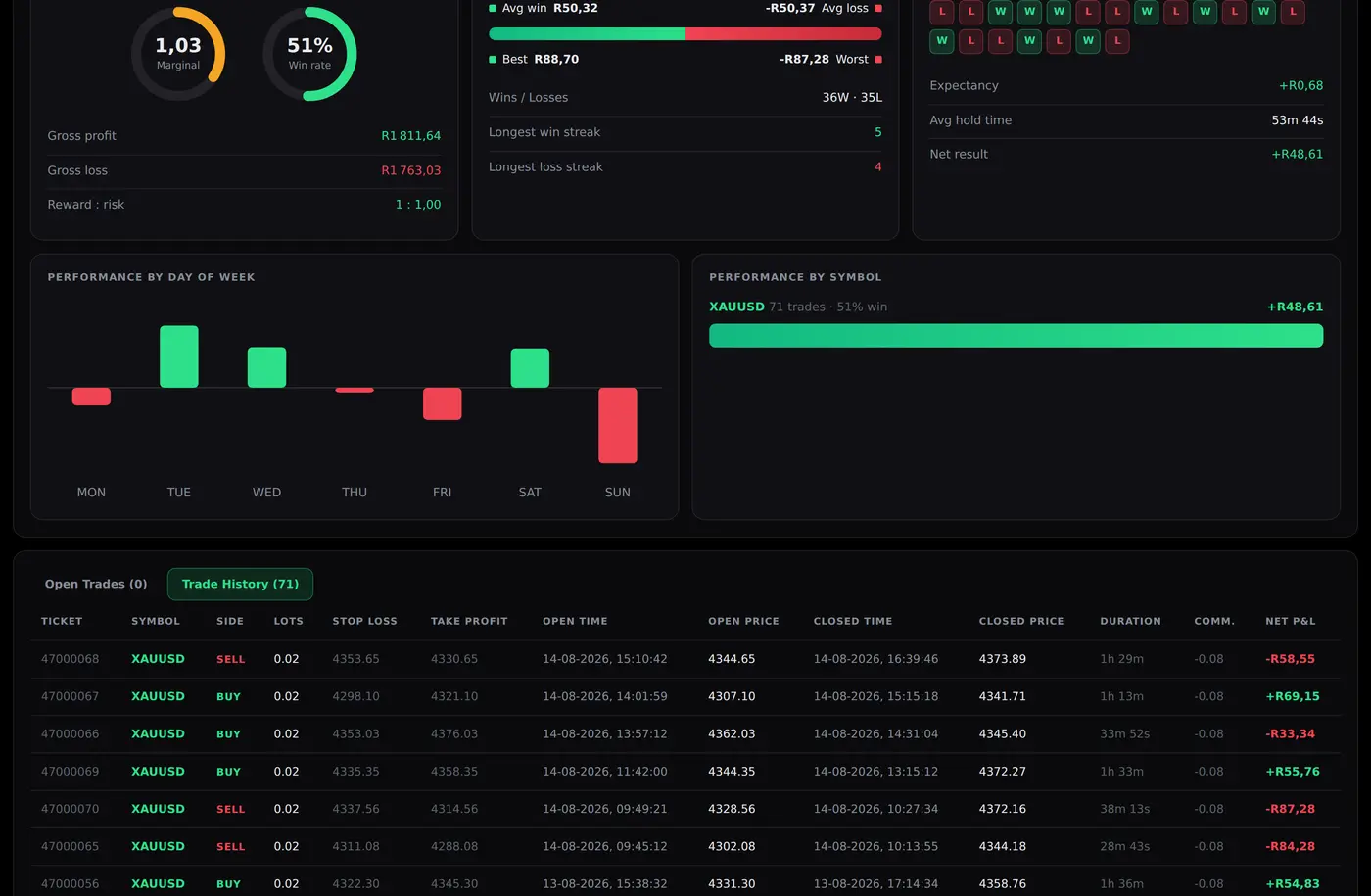
TradeLens gives MT4 and MT5 traders a live dashboard with real-time risk limits in rand, discipline tracking, and an AI coach that reads your actual trades — not generic advice.

Start 14-day free trial See how it works

No card required. Your Expert Advisor never places a trade — it only reads your account.

5sLive refresh
14 daysFree trial
MT4 + MT5Both supported
ZARNative currency
How it works

Running in about fifteen minutes.

Nothing to install on a server, nothing to configure. Your MetaTrader stays exactly where it is.

STEP 01

Create your account

Email and a password. Your 14-day trial starts the moment you confirm your address — no card, no sales call.

STEP 02

Download the EA

Signed-in users get the MT4 and MT5 files from the Downloads page. Two files into MetaTrader, one token pasted in, one URL whitelisted.

STEP 03

Watch it come alive

Your closed history uploads in the background and your open positions appear within seconds. Then open the same address on your phone.

Features

Everything a serious trader needs.
Nothing they don't.

Every feature was built because a real trading problem demanded it. No bloat, no guesswork.

📊

Live account dashboard

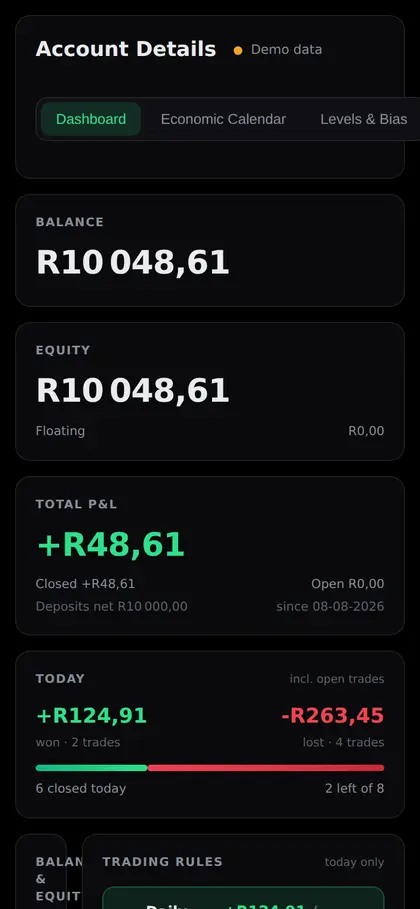
Your EA pushes real trade data every few seconds. Balance, equity, floating P&L, open positions — always current, never typed in by hand.

🚦

RAG risk limits

Green, amber and red bars tied to your daily loss limit and profit target. You know where you stand before you overtrade, not after.

🤖

AI trade coach

Reads your trades, journal, mood and discipline score, then coaches you on what your own data actually shows. Not generic tips.

📲

Alerts that matter

80% of the way to TP or SL. Rule breaches. Daily limit reached. Fired to your phone the moment they trigger, not in a daily digest.

📅

Calendar & journal

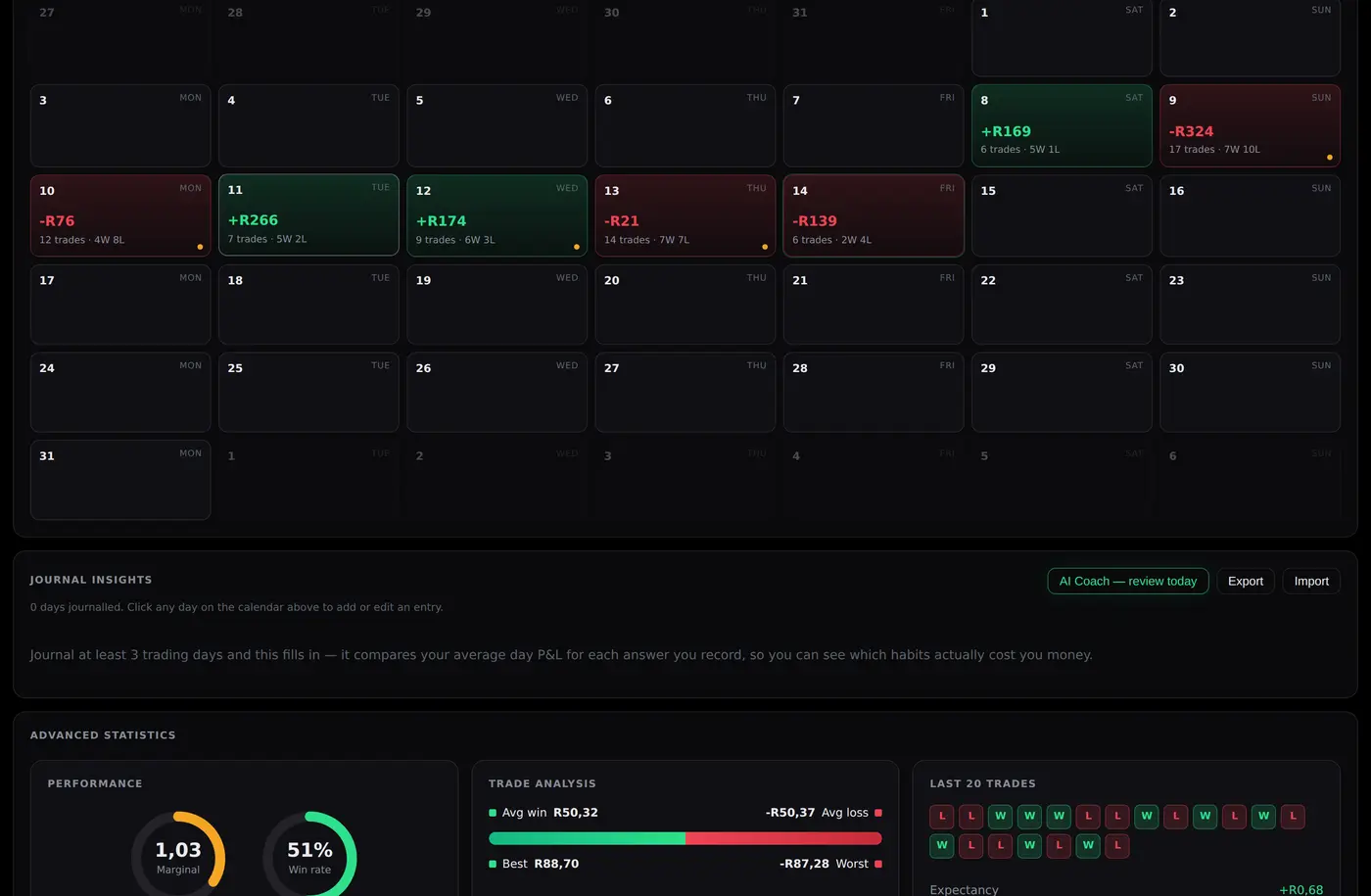
Every trading day mapped visually. Log mood, strategy and discipline, then see the pattern across weeks instead of guessing at it.

📈

Market intelligence

Economic calendar, RSI and MACD sentiment across timeframes, Asian session levels, ATR and pivot points — in one place.

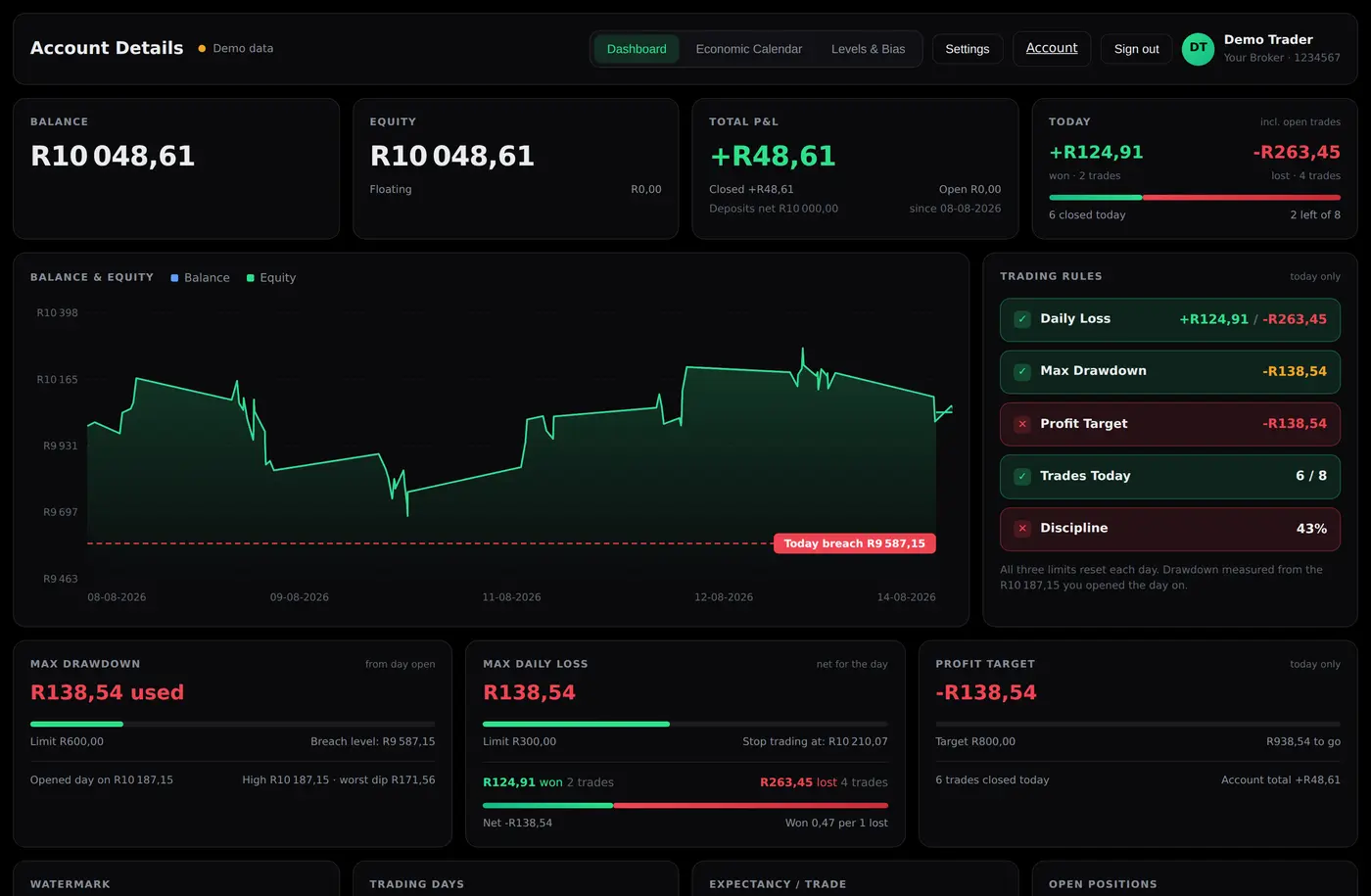
Daily risk monitor
What the top of your dashboard looks like
Example figures
Daily loss (R420 of R750 limit)
R056% — cautionR750
Profit target (R830 of R750 target)
R0✓ Target reachedR750
Trade count (12 of 20 max)
012 trades20
Pricing

Simple, honest pricing.

Every plan starts with the same 14-day free trial. No card up front — you only choose a plan when the trial ends.

Starter
R499 once-off
or R99 / month
  • Live MT4 / MT5 dashboard
  • RAG risk limits
  • Phone alerts
  • Trade calendar (30 days)
  • AI trade coach
  • Market intelligence
Start free trial
Pro
R1,999 once-off
or R349 / month
  • Everything in Premium
  • Up to 3 accounts
  • Weekly + monthly AI reports
  • Priority support (4 hours)
  • Custom accent colour
  • Early access to new features
Start free trial

How the trial works. Registering starts 14 days with everything switched on. Nothing is charged automatically and no card is stored — when the trial ends you choose a plan and pay once, or by the month. Your data stays yours either way, and you can export your journal at any time.

Questions

The ones people actually ask.

Short answers. If yours is not here, mail support@tradelens.co.za.

I trade gold and US30 and indices. Do I need the EA on every chart?

No — one chart is enough, and one chart is what you want. The Expert Advisor reports the account, not the chart it happens to sit on. Every open position on every symbol, your whole closed history, your balance and equity: all of it arrives no matter which chart it is attached to. Your gold trades and your US30 trades both show up, and the dashboard breaks results down by instrument on its own.

The one thing that is per-symbol is the indicator and level reading — RSI, the moving averages, pivots. You still do not need a second chart for it: list the markets you care about in the EA's AnalysisSymbols input, like XAUUSD,US30.

Attaching it to two charts does no damage — closed trades are keyed by their ticket so nothing duplicates, and the account snapshot is a single row that both copies write identically. But it doubles the traffic for no benefit, and if you have alerts switched on you will get every alert twice. One chart, any symbol, any timeframe.

Can it place trades, or close mine?

No. There is no order-sending code in it at all — it reads your account and sends numbers out. MetaTrader still asks you to tick Allow live trading, because that same tick is what permits internet access, which is the only thing the EA uses it for.

Does my PC have to stay on?

MetaTrader has to be running for new data to arrive. Close it and the dashboard keeps showing the last figures it received, clearly marked as stale; open it again and it catches up on everything it missed by itself. If you want it running around the clock, the EA needs no DLLs, so it works on a MetaTrader VPS.

MT4 or MT5?

Both, and the setup is identical. Download the package for whichever your broker gave you — the Downloads page has both. If you run both platforms, each terminal gets its own token and both report into the same login.

Who can see my trading data?

Other users cannot: every row is tied to one login and the separation is tested from a second signed-in account, not just intended. The token inside MetaTrader can write data in and can never read anything back out.

Said plainly, because it is true of every hosted tool: whoever runs the servers holds the database credentials and could read it. Software keeps users apart from each other; it cannot keep anything from the person who owns the infrastructure. Worth weighing if it is a live account.
Built by a trader.
Not a software company.

TradeLens started as one trader's own dashboard. Every existing tool was too generic, too expensive, or built for institutions. South African retail traders needed something that spoke their currency.

🇿🇦

Rand native

P&L, risk limits and targets in rand — not dollars or percentages that mean nothing against your real account balance.

🔒

Your data stays yours

Every account is tied to one login, and one login sees only its own rows. Your ingest token can write data in — it can never read anything back out.

📱

Works on any device

Add it to your phone's home screen and it opens like an app. Same login on your desk, your tablet and your pocket.

It cannot trade

The Expert Advisor reads your account and sends numbers out. There is no code in it that opens, modifies or closes a position.

See your own numbers in fifteen minutes.

Create an account, download the EA, and watch your account appear.

Start your free trial